
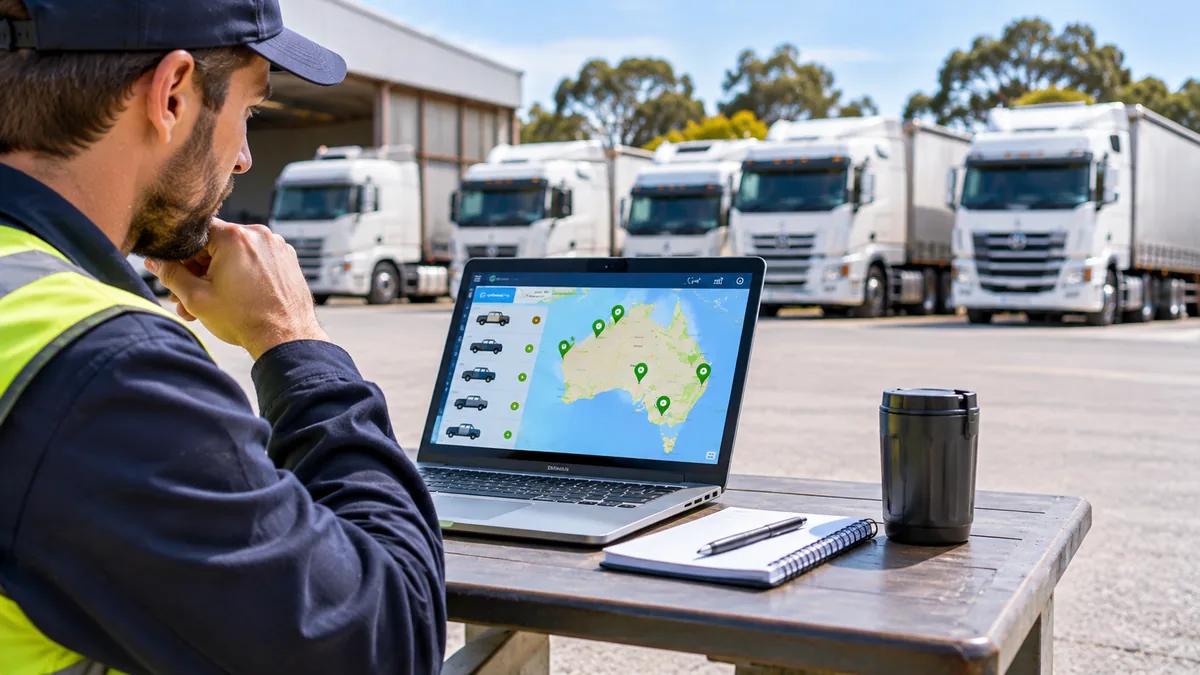
Managing a truck fleet involves many moving parts. Fleet owners need to know where their vehicles are, how drivers use them, how much fuel they consume and whether they are operating efficiently. When trucks travel across cities, regional areas and long-distance highways, keeping track of everything can become difficult.
A GPS tracker for truck fleets gives businesses a central way to monitor vehicle locations and review important fleet information. Depending on the hardware and software, it can also provide journey history, ignition status, driving behaviour reports, fuel data and vehicle activity information.
However, buying a GPS tracker should not be a rushed decision. A device that only shows vehicle locations may not provide everything your business needs. You should understand what information you want to collect, which features are supported and how the tracking system performs in the areas where your trucks operate.
At Australia Fleet Tracking, businesses can explore GPS tracking devices and solutions for commercial vehicles, trucks, trailers and other assets. This guide explains what to track and the important questions to ask before choosing a fleet tracking system.
What Is a GPS Tracker for Truck Fleets?
A GPS tracker for truck fleets is a vehicle monitoring device that uses satellite positioning and communication technology to provide location information to tracking software.
The device is installed in a truck and calculates its position using GPS signals. It then sends available information through a supported communication network to a tracking platform.
Fleet owners and managers can access this information through a web dashboard or compatible mobile application.
Depending on the selected device and platform, a truck tracking system may provide:
- Current or recently reported vehicle locations.
- Journey history and trip reports.
- Vehicle movement and ignition status.
- Driving behaviour information.
- Geofence entry and exit alerts.
- Fuel monitoring through compatible sensors or vehicle data.
- Selected vehicle activity reports.
- Power disconnection alerts.
The main purpose is to give businesses better visibility of their vehicles and help them make informed fleet management decisions.
For a closer look at truck monitoring technology, explore truck GPS tracking solutions.
What Is the Best GPS for Commercial Vehicles?
There is no single GPS tracker that is best for every commercial vehicle. The right choice depends on your truck type, fleet size, operating environment and the information you want to monitor.
A small delivery fleet may only need location tracking and journey history. A large transport company may need additional features such as driver behaviour monitoring, fuel data, geofencing and advanced reporting.
Before choosing a device, consider the following factors.
1. Vehicle Compatibility
The first step is to check whether the GPS tracker is suitable for your commercial vehicle.
Different trucks have different electrical systems, installation requirements and available vehicle data connections.
Check:
- Supported power supply.
- Installation method.
- Vehicle compatibility.
- Available input and output connections.
- Support for additional sensors.
- Relevant product specifications.
A tracker designed for a passenger car may not be the right choice for every heavy commercial vehicle.
2. Location Accuracy and Update Frequency
A good fleet tracking system should provide useful and reliable location information.
However, location accuracy and update frequency are not the same thing. Accuracy relates to how closely the reported position matches the vehicle’s actual location. Update frequency refers to how often the tracking platform receives new information.
Ask the provider:
- How frequently can the device send location updates?
- Can reporting intervals be configured?
- How does the tracker behave when communication is unavailable?
- Can managers access the last reported location?
These questions will help you understand whether the tracking solution suits your daily operations.
3. Suitable Hardware for Commercial Use
Commercial vehicles often operate for long hours and travel through different environments.
Choose hardware according to its installation location and operating conditions. Check the operating temperature range, vibration resistance, power requirements and relevant protection ratings.
Do not assume that every GPS tracker is suitable for demanding commercial applications. Review the official datasheet before purchasing.
4. Tracking Software and Reporting
The GPS device collects information, but the tracking software makes that information useful.
Look for a platform that allows managers to:
- Monitor multiple trucks.
- Review previous journeys.
- Check vehicle activity.
- Configure available alerts.
- Access fleet reports.
- Use a mobile application or web dashboard.
Also check whether the software supports the specific GPS device you plan to purchase.
5. Installation and Ongoing Costs
The total cost of a truck GPS tracking system may include more than the hardware price.
Consider:
- GPS tracking device cost.
- Installation charges.
- Software subscription.
- Mobile data charges, where applicable.
- Additional sensors and accessories.
- Technical support.
- Maintenance or replacement costs.
Compare the full cost before making a decision.
What a Truck GPS Tracker Should Show
A GPS tracker becomes more valuable when it provides information that helps you manage your vehicles. Instead of focusing only on a map, consider the data your business needs to review every day.
Here are the main areas fleet owners should look at.
1. Current Vehicle Location
The tracking platform should display the latest available location of each truck.
This helps managers understand where vehicles are operating and coordinate work across different locations.
For example, a transport manager can check whether a truck is travelling towards a delivery destination or has stopped along its route.
Remember that the displayed location may not be a live position if the device has not sent a recent update.
2. Journey History
Journey history helps managers understand where trucks have travelled.
Depending on the platform, it may show:
- Trip start and end points.
- Journey dates and times.
- Recorded routes.
- Stops and stop durations.
- Distance travelled.
- Available speed information.
This information can help businesses investigate delivery delays and review vehicle usage.
3. Ignition and Vehicle Activity
Ignition monitoring can show when a vehicle’s ignition is switched on or off, provided the device supports the required connection.
This information can help managers understand vehicle operating periods and identify long periods of inactivity.
Some compatible devices also support additional vehicle data, but the available information depends on the hardware and installation.
4. Driver Behaviour Information
Some GPS tracking devices and platforms can record driving events such as:
- Speeding.
- Harsh acceleration.
- Harsh braking.
- Sharp cornering.
- Excessive idling.
These reports can help fleet managers identify driving patterns and support driver training.
Not every tracker supports all these events. Check the device’s technical specifications before expecting driver behaviour reports.
5. Geofence Alerts
Geofencing allows businesses to create virtual boundaries around selected locations.
A compatible tracking system can send notifications when a truck enters or leaves a defined area.
For example, a company can set up geofences around its warehouse, depot or customer delivery locations.
This can make it easier to review vehicle arrivals and departures without repeatedly contacting drivers.
6. Vehicle and Fuel Information
For businesses that need more detailed fleet data, a suitable GPS tracking setup may support fuel monitoring and additional vehicle information.
However, the tracker may require a compatible fuel sensor or vehicle data connection.
Always check which measurements are supported rather than assuming that every GPS device can display fuel consumption or engine information.
Fuel: The Cost You Can See Once You Measure It
Fuel is one of the biggest ongoing expenses for many transport and logistics businesses. When a company operates several trucks, even small differences in fuel usage can have a noticeable effect on its operating budget.
But how can a GPS tracking system help?
The answer is simple: it can provide useful vehicle and fuel information when paired with compatible hardware and software.
Why Should Fleet Owners Monitor Fuel Usage?
Without reliable fuel information, businesses may find it difficult to understand where fuel costs are increasing.
Fuel monitoring can help managers investigate:
- Unusual fuel-level changes.
- Unexpected fuel drops.
- Fuel consumption patterns.
- Vehicle idling.
- Distance travelled.
- Differences in vehicle usage.
The exact information available depends on the tracking device, vehicle data connection and fuel monitoring equipment.
How Does GPS Fuel Monitoring Work?
There are different ways to collect fuel-related information.
Vehicle data connection: Some compatible trucks provide fuel-related information through supported vehicle interfaces. The GPS device can collect available data and send it to the tracking platform.
Fuel level sensors: An external fuel sensor can measure changes in the fuel level inside a tank. Depending on the setup, the information may be displayed through compatible fleet tracking software.
Fuel consumption reports: Some systems can use supported vehicle data to provide fuel consumption information or estimates.
These methods are not interchangeable. The correct solution depends on the truck, fuel system, device compatibility and installation requirements.
How Can Fuel Data Help Reduce Operating Costs?
Fuel monitoring does not automatically reduce expenses. Its value comes from helping managers identify patterns that need attention.
For example, a fleet owner may notice that one truck has unusually high fuel consumption compared with similar vehicles. The business can investigate possible causes, such as vehicle condition, driving behaviour, route conditions or excessive idling.
Similarly, an unexpected fuel-level change may require investigation to determine whether it is related to a sensor issue, vehicle movement or possible fuel loss.
Before purchasing, ask these questions:
- Does the tracker support fuel monitoring?
- Is an additional fuel sensor required?
- Can the system show fuel-level changes?
- Does the software provide fuel reports?
- Can managers receive alerts for unusual fuel changes?
- Is the solution compatible with the truck’s fuel system?
Getting clear answers will help you avoid purchasing a basic GPS tracker when your business actually needs a more complete fuel monitoring setup.
Highway Coverage and Gaps in Signal
Australian truck fleets often travel long distances. A vehicle may operate in major cities one day and travel through regional or remote areas the next.
This makes network coverage an important consideration when selecting a GPS tracking system.
However, there is one technical detail every fleet owner should understand: GPS positioning and mobile network connectivity are two different things.
GPS Positioning vs Mobile Network Coverage
GPS satellites help the tracking device calculate its location.
A mobile communication network, such as a supported cellular network, allows the device to send that location information to the tracking platform.
This means a GPS tracker may still calculate its position in an area without mobile coverage, but it may not be able to send a live update to the software.
The platform may continue to show the last location received until communication becomes available again.
What Happens When a Truck Enters an Area with Poor Coverage?
Suppose a truck travels through a remote area where cellular coverage is limited.
The tracking device may continue collecting location information, depending on its configuration and hardware. However, the tracking platform may not receive updates during the communication gap.
Some devices support storing location records internally and transmitting them later when network connectivity returns. This is often called store-and-forward or data buffering.
Not every tracker supports this capability, so it is important to confirm it before purchasing.
Questions to Ask About Highway Coverage
If your trucks operate across regional Australia, ask the GPS provider:
- Which mobile network technologies does the device support?
- Which network bands are compatible with the tracker?
- Does the device support the network services available in your operating areas?
- What happens when mobile coverage is lost?
- Can the tracker store location records during a communication gap?
- Does it automatically send stored information when connectivity returns?
- Is there an alternative connectivity option for remote operations?
Also check the network provider’s coverage information for your actual routes.
Do not rely only on a general claim that a device offers nationwide coverage. Coverage can vary by location, network, terrain and operating conditions.
What Else Should Fleet Owners Track?
Beyond location and fuel information, there are several other areas that can help businesses manage their trucks more effectively.
1. Driver Safety
Driving behaviour reports can help managers identify events that may require driver training or further investigation.
For additional road visibility, businesses can consider a road-view dash camera or dual-view dash camera.
2. Trailer and Asset Locations
Many transport businesses manage trailers, machinery and other valuable equipment in addition to trucks.
Suitable tracking devices can help businesses monitor these assets and review their movements.
Explore trailer and truck tracking solutions and asset tracking solutions.
3. Vehicle Utilisation
Vehicle utilisation information helps businesses understand how often trucks are being used.
Managers can review available journey, ignition and activity data to identify vehicles that may be underused or spending too much time inactive.
4. Maintenance Planning
Some compatible devices and platforms provide mileage, engine-hour or vehicle data that can support maintenance planning.
However, GPS tracking should not replace the vehicle manufacturer’s servicing schedule or required inspections.
5. Fleet-Wide Performance
A central fleet dashboard can help managers compare vehicle activity and review operational patterns across their trucks.
For more information, explore GPS fleet tracking in Australia and fleet management solutions.
What to Ask Before Buying a GPS Tracker for Truck Fleets
Before choosing a provider, prepare a list of questions. This will help you compare devices and software based on actual business requirements.
| Question | Why It Matters |
| Is the tracker compatible with my trucks? | Confirms hardware suitability |
| How frequently does it send location updates? | Explains location reporting intervals |
| Does it provide journey history? | Helps review previous routes |
| Does it support fuel monitoring? | Identifies fuel hardware requirements |
| Can it monitor ignition status? | Helps review vehicle activity |
| Does it support geofencing? | Helps monitor selected locations |
| What happens when network coverage is lost? | Explains tracking during signal gaps |
| Can it store data offline? | Helps preserve records during communication interruptions |
| Does it have a mobile app? | Allows access away from the office |
| What are the ongoing costs? | Helps calculate the total investment |
| What support is available? | Helps with installation and technical issues |
Do not hesitate to ask for a product datasheet or software demonstration. A provider should be able to explain which features are included, which require additional accessories and which depend on software subscriptions.
Choosing the Right GPS Tracking Solution for Your Fleet
Different businesses need different tracking setups. The best option depends on the vehicles you operate and the information you want to collect.
| Business Type | Useful Tracking Requirements |
| Transport companies | Live location, trip history and vehicle activity |
| Courier businesses | Location updates, geofencing and journey reports |
| Construction fleets | Vehicle and asset location monitoring |
| Mining operations | Suitable hardware and remote-site connectivity |
| Agriculture businesses | Vehicle and equipment tracking |
| Distribution companies | Route history and fleet-wide visibility |
For industry-specific information, explore:
Final Thoughts: Choose a GPS Tracker That Gives You Useful Fleet Data
Choosing a GPS tracker for truck fleets is about understanding what information your business needs and how you will use it.
Vehicle location is important, but it is only one part of effective fleet management. Journey history, fuel monitoring, ignition status, driver behaviour and network connectivity can also play an important role.
Before investing, check vehicle compatibility, software features, communication coverage, offline data storage and ongoing costs. Ask the provider for clear answers instead of relying on general product claims.
Australia Fleet Tracking helps businesses explore GPS tracking solutions for commercial vehicles, trucks, trailers and other assets. Visit Australia Fleet Tracking to explore available tracking options and find a solution that fits your fleet requirements.
Frequently Asked Questions
1. What is the best GPS for commercial vehicles?
The best GPS tracker depends on the vehicle, operating environment and required features. Look for suitable hardware, reliable location updates, journey history, compatible software and network support for your operating routes.
2. What should a truck GPS tracker show?
A truck GPS tracker should provide the latest available vehicle location. Depending on the device and platform, it may also show journey history, stops, ignition status, geofence alerts, driver behaviour information and fuel data.
3. Can a GPS tracker monitor truck fuel consumption?
Some GPS tracking systems can provide fuel-related information through compatible vehicle data connections or external fuel sensors. Check the device specifications and sensor requirements before purchasing.
4. Does GPS tracking work on Australian highways?
GPS devices can calculate vehicle locations using satellite signals. However, sending updates to the tracking platform depends on a supported communication connection. Network coverage may vary across highways and remote areas.
5. What happens if a truck loses mobile network coverage?
The tracking platform may stop receiving new updates and continue displaying the last reported location. Some GPS trackers can store location records internally and upload them when connectivity returns. Check whether the device supports this feature.
6. Can I monitor multiple trucks with one GPS tracking system?
Yes. Many fleet tracking platforms allow multiple vehicles to be monitored through one account. Check vehicle limits, subscription conditions and user access options.
7. Can a truck GPS tracker detect fuel theft?
A compatible fuel monitoring system may detect unusual fuel-level changes and generate alerts. Additional sensors or vehicle connections may be required. Any alert should be investigated before assuming fuel theft has occurred.
8. Is a GPS tracker enough for complete fleet management?
A GPS tracker provides useful vehicle information, but complete fleet management may require additional tools for maintenance, compliance, driver management, fuel control and operational planning.
9. What is the difference between GPS tracking and fleet management software?
GPS tracking focuses on vehicle location and movement information. Fleet management software may include broader tools for vehicle monitoring, reporting, maintenance, driver management and operational planning.
10. What should I check before buying a truck GPS tracker?
Check vehicle compatibility, location update frequency, network support, journey history, fuel monitoring requirements, software features, installation and ongoing costs. Ask what happens during network interruptions and whether the device stores data for later transmission.