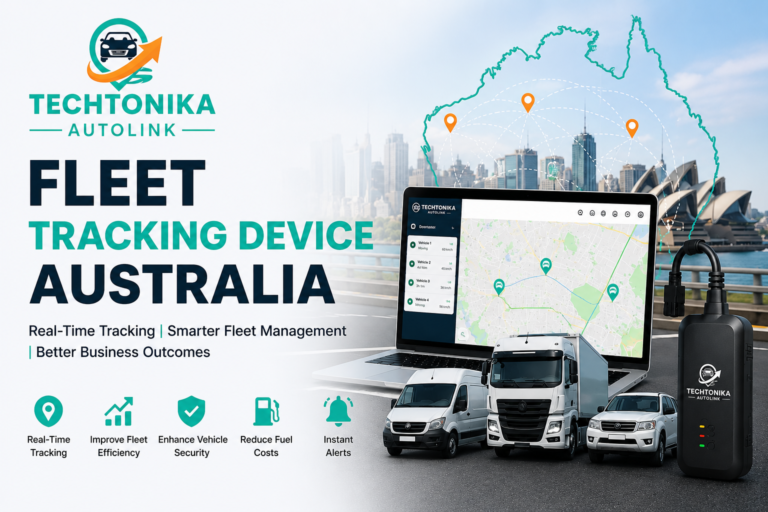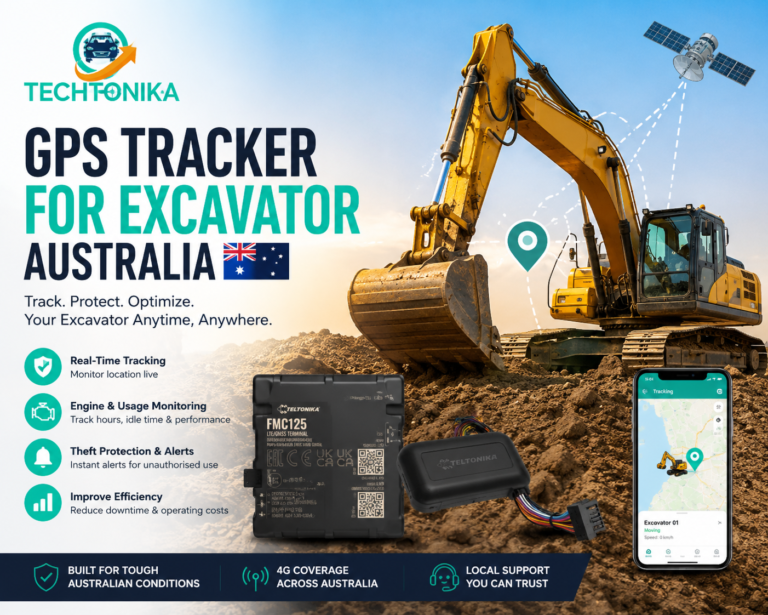

A small-business tracking system should improve dispatch, after-hours security, maintenance and customer evidence without creating enterprise complexity. The right setup often combines straightforward hardware with a clear weekly management routine.
The decision this article should help readers make
A small-business tracking system should improve dispatch, after-hours security, maintenance and customer evidence without creating enterprise complexity. The right setup often combines straightforward hardware with a clear weekly management routine.
A useful implementation starts with the decision, then works backward to data, configuration and ownership. The platform should make limitations visible: last-update time, device health, asset assignment and the difference between an automated signal and a verified business event.
| Decision area | Evidence to use | Implementation rule |
| Utes and vans | Hardwired tracking, trip history and after-hours alerts | Suitable for long-term owned vehicles. |
| Leased or temporary vehicles | OBD deployment and controlled device checks | Confirm lease and vehicle compatibility. |
| Trailers | Battery device, movement alert and inspection cycle | Plan power and service access. |
| Management | Shared map, groups, reports and role-based users | Give each exception an owner. |
Build a reliable operating process
Treat the tracking platform as one part of the operating system. Job, maintenance, finance, safety and workforce records may be needed to interpret what the device reports. The following sequence creates a repeatable control rather than another set of notifications.
- Choose three operational problems to solve.
- Group vehicles by power, ownership and installation need.
- Pilot two or three representative vehicles.
- Set a tracking policy and explain it to workers.
- Configure only actionable alerts and reports.
- Review results after 30, 60 and 90 days.
Assign a named owner to each recurring report or alert and document what closes the item. Acknowledging a notification is not the same as resolving its underlying cause. Where data affects a worker, customer or legal decision, preserve source records and provide an appropriate correction or review process.
Common mistakes and how to avoid them
Most poor outcomes come from weak definitions and governance rather than inaccurate satellite positioning. Review these risks during the pilot and again after the first reporting cycle.
- Buying a different app for every asset type
- Giving every staff member administrator access
- Using location history as an automatic timesheet
- Sending every speeding or idling event immediately
- Failing to check devices that stop reporting
Do not turn operational data into unsupported certainty. A vehicle near a site may not have completed the job; a diagnostic code may not identify the required repair; and an automated score may not fairly describe a driver. Use corroborating records and professional judgement.
Australian privacy, safety and compliance boundaries
Location history may identify workers, customers, homes and sensitive sites. Define the purpose, give required notices, limit collection, use named accounts and multi-factor authentication, restrict exports and apply a documented retention period. Workplace-surveillance and privacy requirements differ by jurisdiction and circumstance, so obtain advice for the actual operation.
For heavy vehicles, telematics can support monitoring and evidence within a Safety Management System, but it does not establish compliance by itself. Scheduling, alerts or performance targets must never pressure a driver to speed, skip maintenance, exceed work limits or operate while unfit to drive.
Record configuration changes, device-to-asset assignments and known outages. Those controls make operational reports more trustworthy and help a business explain what data could and could not show at a particular time.
Practical Australian example
An electrical contractor operates seven vans and two equipment trailers. Dispatch needs the nearest suitable technician, while management wants maintenance reminders and weekend security.
Owned vans use concealed hardwired trackers, leased vans use OBD devices and trailers use battery trackers with a service schedule.
One platform provides a common map, but permissions, alerts and reports remain focused on the decisions each role actually makes.
A 90-day implementation plan
- Days 1–15: define the business question, asset groups, baseline, users and legal requirements.
- Days 16–30: configure a pilot using representative vehicles, routes and difficult coverage or power conditions.
- Days 31–45: test timestamps, assignments, alerts, calculations, exports and failure states against source records.
- Days 46–60: issue notices, train managers and workers, establish owners and document correction and escalation paths.
- Days 61–75: deploy in controlled waves and reconcile every device, SIM and asset before accepting the installation.
- Days 76–90: compare results with the baseline, remove noisy controls and approve the next improvement cycle.
| Success test: A reader should be able to identify the next decision, the evidence required, the owner and the limitation of the GPS data. |
Questions to ask a tracking provider
- Which Australian mobile networks and radio technologies are supported, and how are coverage gaps shown?
- What update intervals, history retention, device-health alerts and exports are included?
- Can access be restricted by role, depot, vehicle group and report type?
- Which device, user, asset-assignment and configuration changes appear in the audit log?
- What are the hardware warranty, installation record, replacement process, support hours and exit costs?
- Which capabilities are rules, analytics or genuine AI, and can the supplier show the underlying evidence?
Ask for a demonstration using a realistic ordinary day and a failure case. The supplier should show a stale last-known point, an offline device, a corrected vehicle assignment and the workflow for closing an exception—not only a polished live map.
Frequently asked questions
How many vehicles justify fleet tracking?
Even a small fleet can benefit if dispatch, security or administration problems are material.
Which tracker suits a work van?
A hardwired compact tracker is commonly suitable for a permanently operated van; confirm platform and installation requirements.
Can tracking verify attendance?
It can support arrival and departure evidence but does not by itself prove the worker or completed task.
How should employees be informed?
Provide clear notice about purpose, data, access, retention and private-use arrangements, and obtain advice for applicable laws.
What should be reviewed weekly?
Device health, overdue maintenance, after-hours movement and a small number of operational exceptions.
About Techtonika Autolink
Techtonika Autolink helps Australian businesses choose, install and configure GPS tracking for vehicles and mobile assets. For practical advice on hardware, professional installation and platform setup, visit https://techtonika-autolink.com/ or call 0452 653 745.