Buying a GPS tracker is not just about checking its price or 4G connectivity. You also need to consider vehicle compatibility, tracking features, mobile network support and the type of information the device can collect. If you are planning to buy a Teltonika FMC003, understanding these details before purchasing can help you avoid the wrong choice.
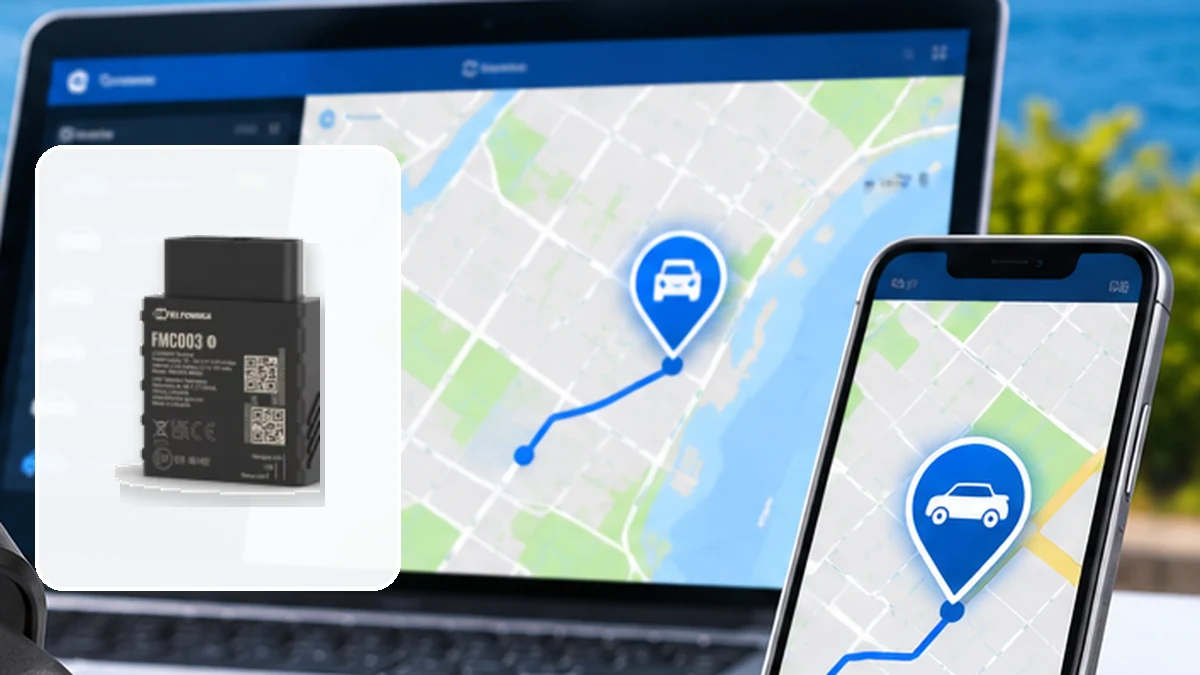
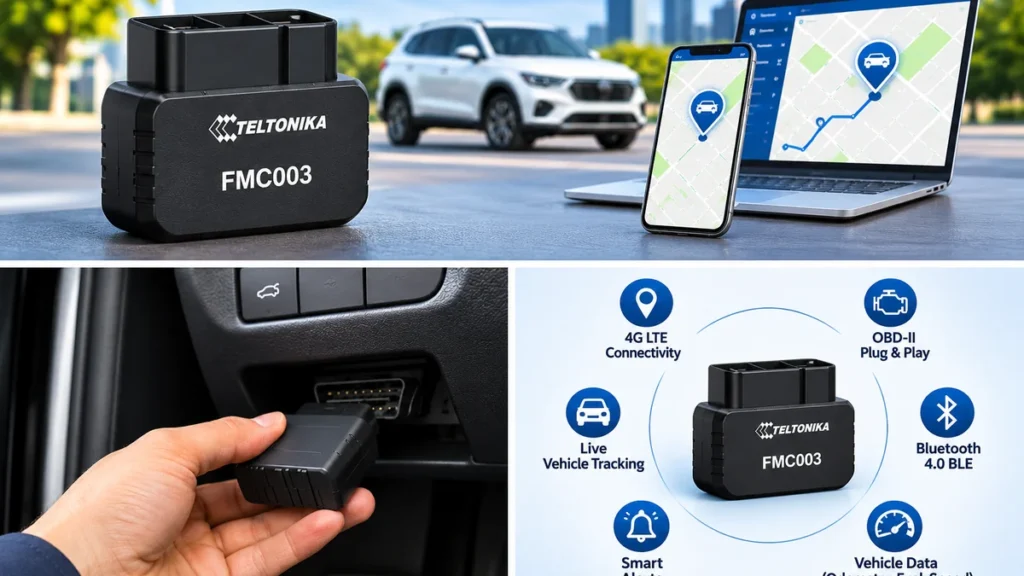
The Teltonika FMC003 GPS tracker is an advanced plug-and-play OBD-II device designed for vehicle tracking, fleet management, car rental and connected vehicle applications. It supports 4G LTE Cat 1 connectivity, OEM vehicle data reading and Bluetooth 4.0 Low Energy.
For Australian businesses, these features can be useful when managing company cars, rental vehicles and light commercial fleets. However, there are several things you should check before placing an order.
This guide covers the important details to help you decide whether the FMC003 is the right GPS tracking device for your vehicle or business.
1. Check Vehicle Compatibility Before Buying
Vehicle compatibility should be your first priority.
The FMC003 connects through the vehicle’s OBD-II port. However, having an OBD-II port does not mean every vehicle will provide the same tracking and diagnostic data.
The device can read supported OEM parameters (PIDs), including:
- Real odometer readings.
- Real fuel level.
- Engine and vehicle information.
- Other supported onboard parameters.
lists support for up to 32 vehicle onboard parameters, but the actual data depends on the vehicle’s make, model and supported protocols.
For example, one vehicle may provide real fuel level and odometer information, while another may offer fewer parameters.
What to check: Ask your supplier for the official FMC003 supported vehicle and data list. Check your exact vehicle model and year before buying.
This is especially important for Australian rental companies and fleet operators managing different vehicle brands.
2. Understand 4G LTE Cat 1 Network Support
Network compatibility is another important factor when choosing a GPS tracker.
The Teltonika FMC003 supports 4G LTE Cat 1 connectivity with 2G GSM/GPRS fallback, depending on the hardware version and available network service.
Why does this matter in Australia?
Australia’s 3G networks have now been switched off. Telstra and Optus completed their 3G shutdown in November 2024, while TPG Telecom switched off its network earlier in 2024.
This makes checking network compatibility essential when purchasing a GPS tracking device.
Before buying, check:
- Exact FMC003 hardware version.
- Supported Australian 4G LTE bands.
- SIM card and mobile network compatibility.
- Coverage in your operating areas.
- Whether the selected SIM plan supports the device.
Do not assume that every FMC003 hardware variant supports exactly the same frequency bands.
For businesses operating across regional Australia, network coverage deserves extra attention.
3. Understand What the FMC003 Can Actually Track
Many buyers think a GPS tracker only shows a vehicle’s location on a map. The FMC003 offers more than that.
It combines GNSS positioning with OBD-II vehicle data collection.
Depending on vehicle compatibility and configuration, it can support:
| Tracking information | What it helps you understand |
|---|---|
| Live vehicle location | Where the vehicle is located |
| Real odometer | Actual vehicle distance readings |
| Real fuel level | Supported vehicle fuel information |
| Trip information | Vehicle journeys and activity |
| Speed information | Vehicle speed and driving behaviour |
| Ignition status | Vehicle operating activity |
| Crash detection | Configured crash-related events |
| Towing detection | Possible unauthorised vehicle movement |
| Unplug detection | When the device is disconnected |
These features can help fleet managers understand vehicle usage and review important events.
Remember that data availability depends on the vehicle, device configuration and tracking software.
4. Check the Bluetooth 4.0 BLE Features
Bluetooth is another feature worth considering before purchasing the FMC003.
The device supports Bluetooth 4.0 and Bluetooth Low Energy (BLE). This allows it to work with compatible external sensors and accessories.
Supported applications include:
- Temperature and humidity monitoring.
- Compatible BLE sensors.
- Supported barcode scanning accessories.
- Bluetooth configuration and firmware updates.
For example, a business transporting temperature-sensitive goods may use compatible sensors to collect additional environmental information.
However, you should check the supported accessory list before purchasing any additional sensor.
The tracker itself does not automatically provide temperature readings without a suitable compatible sensor.
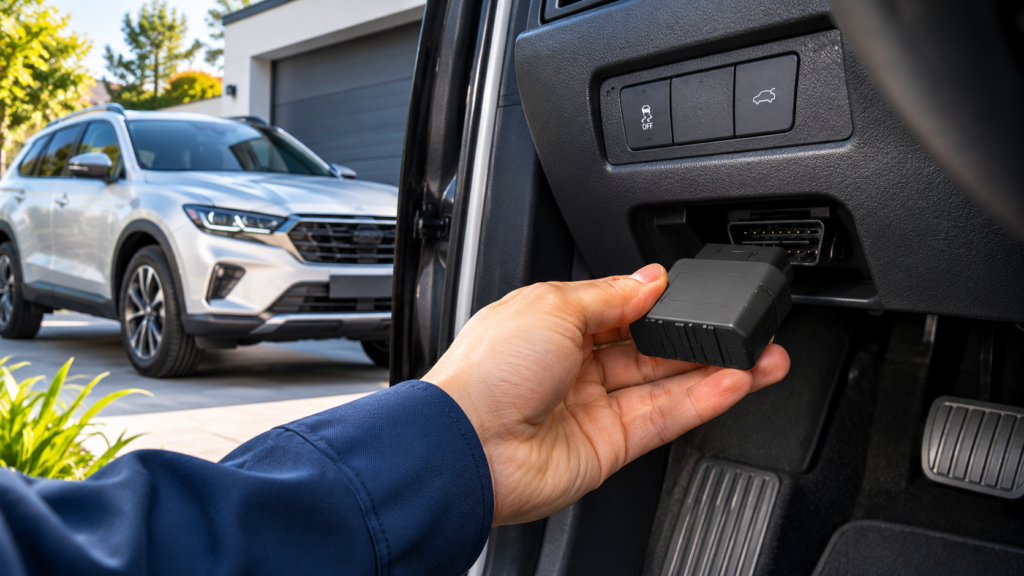
5. Understand the OBD-II Installation Process
One of the main advantages of the FMC003 is its plug-and-play installation.
Unlike traditional hardwired GPS trackers, it connects directly to the vehicle’s OBD-II socket.
The basic installation process is simple:
- Find the OBD-II port in your vehicle.
- Check that the connector is accessible.
- Insert the FMC003 securely.
- Configure the device with a compatible tracking platform.
- Test GPS positioning and available vehicle data.
The OBD-II port is commonly located below the dashboard, near the steering column. Its exact position varies between vehicles.
Before installation, check whether the device blocks nearby pedals, driver controls or dashboard panels.
Also consider whether the tracker will be easy to unplug. Some vehicles may need an OBD extension cable or a suitable mounting arrangement.
6. Consider the Device Size and Physical Protection
The FMC003 has a compact design, measuring approximately 67.2 × 49.6 × 25 mm.
Its internal GNSS and cellular antennas help avoid the need for separate external antennas in normal supported installations.
However, physical protection is something buyers should not overlook.
The FMC003 has an IP41 ingress protection rating. This means it is not designed to be waterproof or installed in locations exposed to water.
If you operate vehicles in demanding environments, make sure the OBD-II installation area is suitable.
Do not treat the FMC003 as a rugged waterproof asset tracker.
7. Check the Power Supply and Backup Battery
The FMC003 receives its main power through the OBD-II connection.
It supports an input voltage range of 10–30 V DC and includes a 170 mAh rechargeable Li-ion backup battery.
Why is the backup battery useful?
It can support limited device operation during certain power interruptions, depending on configuration and operating conditions.
However, it is not designed to replace the vehicle’s main power supply for long-term independent tracking.
If you need a tracker that operates for extended periods without vehicle power, consider a dedicated battery-powered GPS tracking device instead.
8. Choose the Right GPS Tracking Software
Buying the hardware is only one part of the process.
You also need a compatible GPS tracking platform to receive, process and display the information collected by the FMC003.
A suitable platform should support:
- Live vehicle tracking.
- Trip history and reports.
- Vehicle activity alerts.
- Odometer and fuel data where supported.
- Geofencing.
- Fleet management reports.
- Device configuration and monitoring.
Before purchasing, confirm that the tracker can be configured to work with your chosen platform.
A GPS device without a suitable tracking platform will not provide the complete monitoring experience most businesses expect.
9. Check the Total Cost Before Purchasing
The device price is not always the complete cost of a GPS tracking solution.
Consider the following expenses before making a decision:
| Cost factor | What to check |
|---|---|
| GPS tracker | FMC003 hardware price |
| SIM card | Compatible mobile data plan |
| Tracking software | Monthly or annual platform charges |
| Installation | DIY or professional assistance |
| Accessories | OBD extension or compatible BLE sensors |
| Support | Configuration and technical assistance |
Some businesses may only need a device and SIM plan. Others may require a complete fleet tracking platform with reports, alerts and multiple vehicle connections.
Compare the full setup cost rather than choosing a device based only on its initial price.
10. Is Teltonika FMC003 Suitable for Your Business?
The FMC003 can be a useful option for businesses that need vehicle location tracking and additional OBD data.
Here are some common applications.
Car Rental Businesses
Rental companies can use supported odometer and fuel readings to review vehicle usage and improve fleet records.
Fleet Management Companies
Fleet managers can monitor vehicle movements, review trip information and receive configured activity alerts.
Small Business Owners
Businesses with company cars can use the FMC003 to understand vehicle usage without complex hardwired installation.
Insurance and Telematics Providers
The device supports insurance telematics applications, including usage-based insurance solutions where the platform and service support them.
Light Commercial Vehicle Operators
Businesses operating compatible light commercial vehicles can use the device for location monitoring and supported vehicle data collection.
Teltonika FMC003 Technical Specifications
Here are the key specifications to review before purchasing.
| Specification | Details |
|---|---|
| Model | Teltonika FMC003 |
| Network | 4G LTE Cat 1 / 2G GSM |
| Positioning | GPS, GLONASS, Galileo, BeiDou and other GNSS systems |
| Bluetooth | 4.0 + BLE |
| Connection | OBD-II |
| Vehicle data | OEM and standard OBD-II data |
| Supported parameters | Up to 32, vehicle dependent |
| Backup battery | 170 mAh Li-ion |
| SIM | Micro-SIM |
| Input voltage | 10–30 V DC |
| Dimensions | 67.2 × 49.6 × 25 mm |
| Weight | Approximately 63 g |
| Protection rating | IP41 |
| Antennas | Internal GNSS and cellular |
Frequently Asked Questions
1. Is Teltonika FMC003 compatible with all cars?
No. Compatibility and available vehicle data depend on the vehicle’s make, model, year and supported OBD-II protocols. Check Teltonika’s supported vehicle list before purchasing.
2. Does FMC003 support 4G in Australia?
The FMC003 supports LTE Cat 1. However, buyers should confirm the exact hardware version, Australian LTE frequency bands and SIM network compatibility before ordering.
3. Can Teltonika FMC003 read real odometer readings?
Yes. It supports OEM odometer reading on compatible vehicles. The availability of this information depends on the vehicle.
4. Does FMC003 show real fuel levels?
Yes. It can read real OEM fuel level data from supported vehicles. Not every vehicle provides the same information.
5. Does the FMC003 require professional installation?
Usually, no complex wiring is needed. It connects directly to a compatible OBD-II port. Device configuration and tracking platform setup may still require technical assistance.
6. Does the Teltonika FMC003 need a SIM card?
Yes. A compatible Micro-SIM and mobile network service are required for cellular data communication.
7. Is the FMC003 waterproof?
No. It has an IP41 protection rating. It should be installed in a suitable location protected from water exposure.
8. Can I use FMC003 for a rental car fleet?
Yes. It is designed for applications including car rental and leasing. It can help businesses monitor vehicle locations, trips and supported vehicle information.
9. Does FMC003 work without a GPS tracking platform?
The device can collect data, but you need a compatible server or tracking platform to receive, process and display that information in a useful way.
Final Thoughts
The Teltonika FMC003 is worth considering if you need more than basic vehicle location tracking. Its 4G LTE Cat 1 connectivity, OEM vehicle data reading, Bluetooth support and plug-and-play OBD-II installation make it a useful option for compatible vehicles.
However, the most important thing is to check compatibility before purchasing. Confirm your vehicle’s supported parameters, the exact hardware version, Australian network bands and tracking platform requirements.
A little research before buying can save you from choosing a tracker that does not provide the data or coverage your business needs.
If you are looking for GPS tracking devices for your vehicles or business, explore the available solutions at Australia Fleet Tracking and choose the right device for your requirements.
Related Reading
- What Makes Teltonika FMC003 Different from Other OBD Trackers?
- Buy Australia’s Best GPS Vehicle Tracking Devices
- Upgrade Now to the Latest 4G Tracking Devices to Future-Proof Your Business
- Choosing the Right GPS Tracker for the Job: A Practical Guide
- GPS Tracker Installation: Complete Guide for Cars, Trucks and Fleet Vehicles in Australia