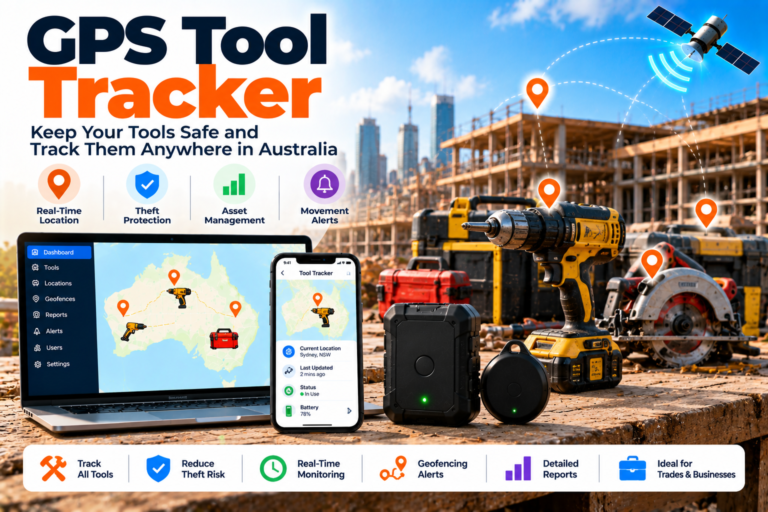
Knowing where commercial equipment is located is important for businesses that manage machinery across multiple worksites. Construction companies, transport operators, agricultural businesses and equipment rental providers often move valuable assets between different locations. Without proper monitoring, checking equipment positions and identifying unexpected movement can become difficult.
A Live Geofencing Equipment Locator combines GPS tracking with virtual location boundaries to help businesses monitor their equipment. It allows authorised users to view reported asset locations and receive notifications when tracked machinery enters or leaves selected areas.
For businesses managing excavators, generators, trailers, loaders and other valuable equipment, this technology can improve location visibility and support better asset management.
In this guide, we explain how live geofencing works, how an equipment locator operates, which features matter and how Australian businesses can use this technology.
What Is a Live Geofencing Equipment Locator?
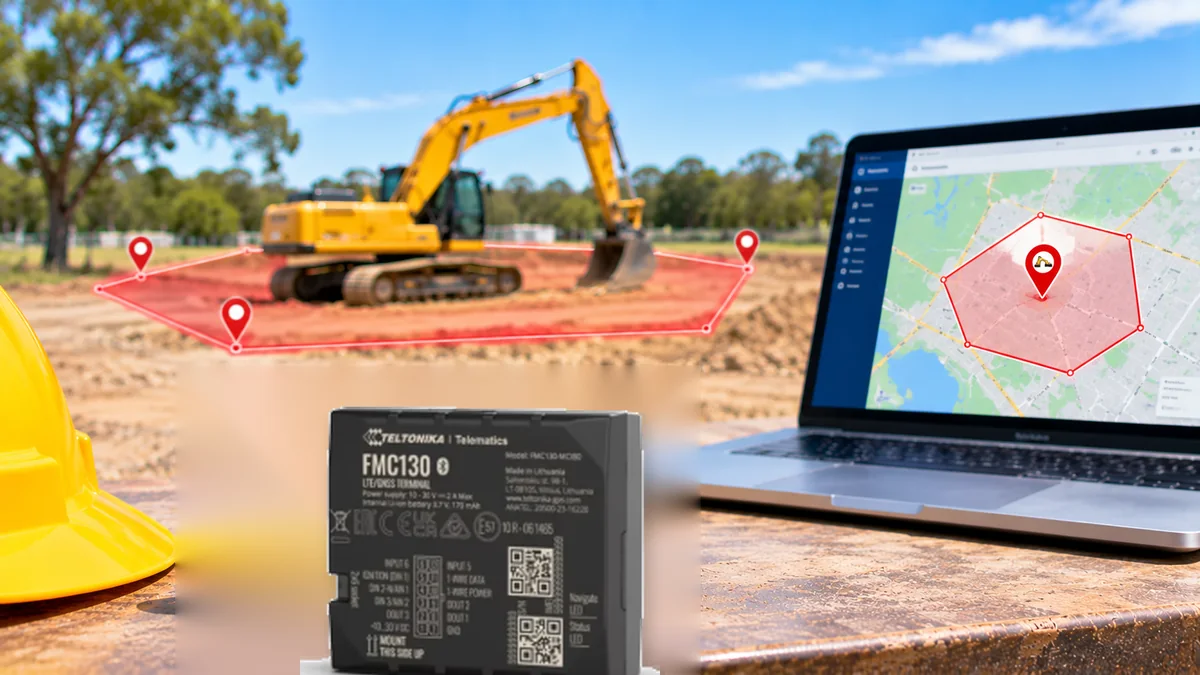
A live geofencing equipment locator is a GPS-based tracking solution that helps businesses monitor equipment locations and movement around predefined geographical boundaries.
A geofence is a virtual boundary created around a physical location on a digital map. Businesses can set these boundaries around construction sites, storage yards, warehouses, farms or other approved locations.
When a compatible GPS tracking device reports that an asset has entered or exited a configured boundary, the tracking platform can generate an alert.
A live geofencing equipment locator may provide:
- GPS equipment location updates
- Virtual boundary creation
- Entry and exit notifications
- Unauthorised movement alerts
- Historical location records
- Multiple asset monitoring
- Mobile and web dashboard access
- Customisable alert settings
The exact features depend on the GPS tracking hardware, software platform, connectivity and reporting frequency.
How Does Live Geofencing Work?
Live geofencing combines GPS positioning, location reporting and software-based geographical boundaries.
1. Install a GPS Tracking Device
A compatible GPS tracking device is installed on the equipment you want to monitor.
Depending on the machinery and tracker, the device may use an external power supply or an internal battery.
Correct installation is important for reliable tracking and device operation.
2. Set Up a Virtual Boundary
The user creates a geofence through the tracking platform.
For example, a construction company may create a virtual boundary around its equipment storage yard. A business can also configure boundaries around different project locations.
The boundary can be adjusted according to the monitoring requirements and platform capabilities.
3. Receive Equipment Location Updates
The GPS device receives positioning information from navigation satellites and calculates its location.
It then sends location data through a supported communication network to the tracking platform.
The update frequency depends on the tracker and its configuration.
4. Receive Geofence Notifications
When the platform identifies that an asset has crossed a configured boundary, it can generate an entry or exit notification.
For example, a business may receive an alert when a tracked excavator leaves its approved storage area.
These alerts help managers identify unexpected movement and review the equipment’s reported location.
Why Do Businesses Need a Live Geofencing Equipment Locator?
Equipment can be expensive, difficult to replace and essential to daily operations. Businesses need visibility over where their machinery is located and whether it is moving as expected.
1. Monitor Equipment Movement
A geofencing system can notify authorised users when tracked equipment enters or exits a selected area.
This can help businesses monitor machinery movements between storage yards, project sites and other locations.
2. Improve Equipment Security
Unattended machinery may be exposed to theft or unauthorised movement.
Geofence alerts can help businesses identify when equipment moves beyond an approved boundary.
A GPS tracking system does not guarantee theft prevention or recovery, but it can provide useful information when unexpected movement occurs.
3. Monitor Multiple Construction Sites
Construction businesses often operate across several project locations.
Managers can create separate geofences around different sites and monitor connected machinery through a central platform.
This can reduce the need for repeated manual location checks.
4. Reduce Time Spent Locating Machinery
When equipment moves between locations, staff may need to contact operators or visit different sites to confirm its position.
GPS location information and historical records can make this process easier.
5. Improve Asset Allocation
Location information can help managers identify where equipment is currently reported and coordinate its use across different projects.
This can support better equipment planning and reduce unnecessary movement between sites.
Where Can Live Geofencing Equipment Locators Be Used?
Geofencing is useful for businesses that manage mobile equipment across defined operating areas.
Construction Machinery
Construction companies can create virtual boundaries around building sites, road projects and machinery storage areas.
Suitable equipment may include:
- Excavators
- Bulldozers
- Wheel loaders
- Graders
- Road rollers
- Skid steer loaders
- Mobile cranes
- Backhoe loaders
A compatible GPS tracking system can help managers monitor the reported locations of these machines.
Businesses can explore Equipment and Asset GPS Tracking in Australia for more information about equipment monitoring.
Commercial Trailers
Transport and logistics businesses can use geofencing to monitor trailers at depots, warehouses and customer locations.
For example, a business may receive a notification when a tracked trailer leaves its designated storage area.
Explore Trailer and Truck Tracking for additional information.
Agricultural Equipment
Farms may operate machinery across large properties and multiple storage locations.
Geofencing can help businesses monitor when selected equipment moves outside a defined area.
Network coverage should be checked before choosing a cellular tracking device for remote agricultural locations.
Generators and Portable Equipment
Generators, compressors and other portable equipment may be moved between project sites.
A suitable GPS tracker can help businesses monitor these assets and configure movement notifications where supported.
Industrial and Warehouse Equipment
Businesses can create virtual boundaries around industrial facilities, equipment yards and storage areas.
This can help staff review the movement of selected mobile assets.
Important Features to Look for in a Geofencing Equipment Locator
Not all GPS tracking systems provide the same monitoring functions. Consider these features before choosing a solution.
Live GPS Location Updates
A tracking platform should display the latest reported location of connected equipment.
However, live tracking does not always mean continuous location updates. Reporting frequency depends on the device, network availability and configuration.
Check the available update intervals before selecting a system.
Custom Geofence Creation
Look for a platform that allows users to create and manage virtual boundaries around selected locations.
Depending on the software, users may be able to adjust boundary size, create multiple zones and manage different equipment groups.
Entry and Exit Alerts
Geofence notifications can inform users when equipment enters or leaves a defined area.
This is particularly useful for monitoring assets stored at depots and construction sites.
Movement Notifications
Some trackers support movement alerts when stationary equipment begins moving.
This can provide an additional monitoring option alongside geofencing.
Location History
Historical location reports help businesses review where equipment was previously recorded.
These records may support asset management, internal checks and unexpected movement investigations.
Multiple Equipment Monitoring
Businesses managing several assets should consider a tracking platform that displays multiple devices through one dashboard.
This makes it easier to monitor equipment across different sites.
Mobile Access
Mobile access allows authorised managers to review equipment locations and available alerts when away from the office.
Check whether the tracking provider offers a compatible mobile application or browser-based dashboard.
Live Geofencing vs Standard GPS Equipment Tracking
Both systems can provide equipment location information, but geofencing adds virtual boundary monitoring.
| Feature | Standard GPS Tracking | GPS Tracking with Geofencing |
| Equipment location | Yes, based on device updates | Yes, based on device updates |
| Location history | Depends on platform | Depends on platform |
| Virtual boundaries | Not always available | Supported |
| Entry notifications | Not always available | Available on compatible systems |
| Exit notifications | Not always available | Available on compatible systems |
| Movement alerts | Depends on tracker | Depends on tracker and configuration |
| Multiple asset monitoring | Platform dependent | Platform dependent |
Geofencing adds another layer of location monitoring. It does not replace GPS tracking; it uses reported GPS positions to check whether equipment has crossed a virtual boundary.
How to Choose the Right Live Geofencing Equipment Locator in Australia
Before purchasing a tracking solution, consider the equipment, working environment and monitoring requirements.
1. Identify the assets. Decide whether you need to monitor construction machinery, trailers, generators, agricultural equipment or other commercial assets.
2. Check GPS reporting frequency. Choose a device that provides location updates at intervals suitable for your operations.
3. Review geofencing options. Check how many virtual boundaries you can create and whether entry and exit alerts are included.
4. Confirm network coverage. Cellular trackers require supported mobile network coverage. Remote worksites may need alternative communication options.
5. Check the power supply. Choose between an externally powered tracker and a battery-powered model based on the equipment.
6. Review environmental protection. For outdoor machinery, check the device’s IP rating, temperature range and mounting requirements.
7. Compare software features. Review location history, movement alerts, mobile access and multiple asset monitoring.
8. Understand ongoing costs. Include device price, installation, connectivity and platform subscription fees.
How Australia Fleet Tracking Can Help
Businesses looking for equipment monitoring solutions should select GPS tracking products that match their machinery and operational requirements.
Australia Fleet Tracking offers GPS tracking products for businesses interested in monitoring vehicles and valuable assets.
Companies managing construction equipment and other machinery can explore Equipment and Asset GPS Tracking in Australia.
Businesses managing commercial fleets can also visit GPS Fleet Tracking Australia to learn more about fleet monitoring.
For additional vehicle monitoring information, explore the Vehicle Tracking page.
You can also check the Locations We Serve page for service-area information.
Frequently Asked Questions
1. What is a live geofencing equipment locator?
It is a GPS tracking solution that displays reported equipment locations and uses virtual geographical boundaries to generate entry and exit notifications.
2. How does geofencing work with GPS tracking?
A GPS device reports its location to a tracking platform. The platform compares that location with configured virtual boundaries and can generate an alert when the asset crosses one.
3. Can I create multiple geofences?
Many tracking platforms support multiple virtual boundaries. The number and configuration options depend on the software.
4. Can geofencing help monitor stolen equipment?
Geofencing can generate alerts when tracked equipment leaves an approved area. It may help businesses identify unexpected movement, but it cannot guarantee theft prevention or recovery.
5. Can construction machinery be monitored with geofencing?
Yes. Compatible GPS trackers can be installed on suitable construction machinery, allowing businesses to monitor reported locations and configure virtual boundaries.
6. Does geofencing work without GPS?
A GPS-based equipment locator needs positioning information to determine whether an asset has crossed a geographical boundary. Other location technologies may be supported by some systems.
7. Does a geofence alert arrive instantly?
Not necessarily. Alert timing depends on GPS reporting intervals, network connectivity, device settings and platform processing. Businesses should check these details with the supplier.
8. Can I monitor equipment from my mobile phone?
Many tracking platforms provide mobile access through an application or web browser. Check the provider’s supported access options.
9. Is geofencing useful for trailer tracking?
Yes. Businesses can create virtual boundaries around depots, storage yards and customer locations to monitor trailer entry and exit activity when compatible tracking hardware is installed.
Final Thoughts
A live geofencing equipment locator gives businesses another way to monitor valuable machinery and manage equipment movement.
By combining GPS location updates with virtual boundaries, businesses can receive notifications when tracked assets enter or leave selected areas.
For construction companies, transport operators, agricultural businesses and equipment rental providers, this technology can support better asset visibility and more organised equipment management.
Before selecting a tracking solution, check its GPS reporting frequency, geofencing features, network coverage and compatibility with your machinery. The right system should match the locations where your equipment operates and the monitoring information your business needs.