Imagine parking your car outside a shopping centre and then wondering whether it is still where you left it. Or perhaps you manage several vehicles and want to know which ones are on the road without calling each driver.
This is where a GPS Tracker for Car with Mobile App becomes useful. Instead of relying on phone calls or checking a vehicle manually, you can view its location through a compatible tracking application.
For Australian car owners, rental businesses and fleet operators, mobile-based GPS tracking offers a convenient way to keep an eye on vehicle movements. Depending on the device, you can also access journey history, receive movement alerts and monitor other vehicle information from your smartphone.
But buying a GPS tracker is only part of the decision. The mobile app, network connectivity and features available through the tracking platform matter just as much.
What Is a GPS Tracker for Car with a Mobile App?
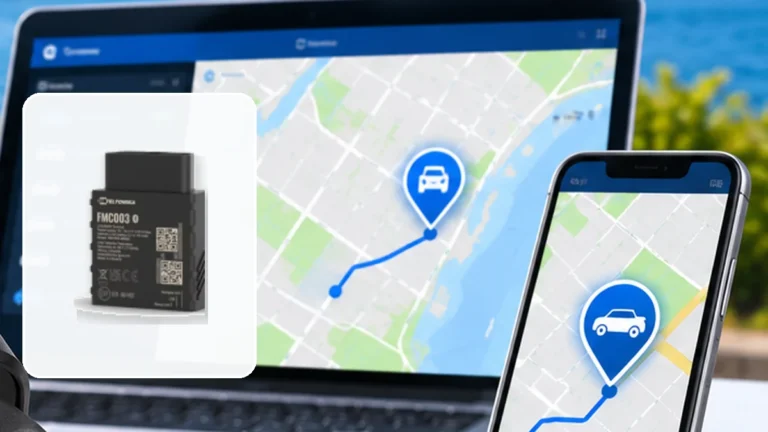
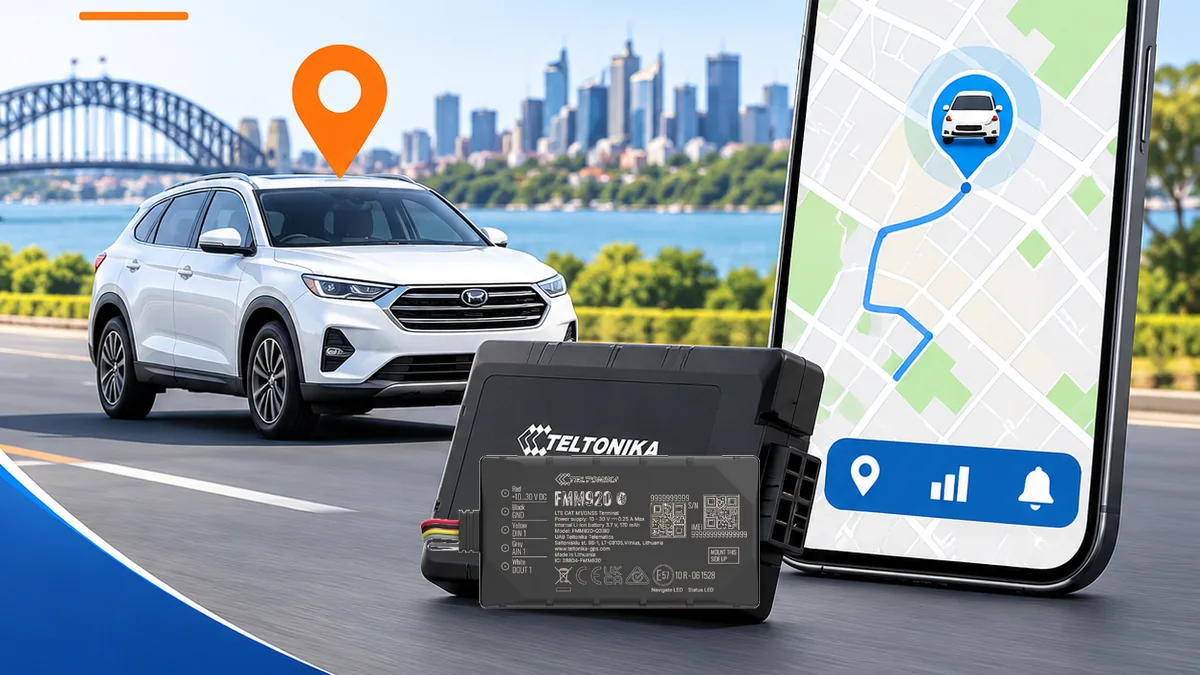
A GPS car tracker with a mobile app is a device that determines a vehicle’s location and sends that information to an online tracking platform. The app lets an authorised user view the information on a smartphone.
Most cellular GPS trackers use two main technologies:
- GPS positioning: Receives satellite signals to calculate the vehicle’s location.
- Mobile communication: Sends location information to the tracking platform through a supported cellular network.
Once the device is activated and connected, users can access available tracking information without being physically near the vehicle.
The features depend on the tracker model and software. Some apps focus on location updates, while others provide additional tools such as geofencing, trip reports and vehicle alerts.
How Does a GPS Car Tracker Work with a Mobile App?
The process is fairly straightforward, although the setup differs between manufacturers.
1. The Tracker Gets the Vehicle’s Location
The GPS device receives signals from satellites and calculates its position. The accuracy of the information can depend on satellite visibility, installation position and surrounding conditions.
2. Location Data Is Transmitted
A cellular-enabled tracker sends its location data to a tracking platform using a supported mobile network. This usually requires a SIM card or an included connectivity service.
3. The Mobile App Displays the Information
The tracking platform processes the incoming data and displays it in the associated mobile application.
Depending on the device, you may see the vehicle on a map, its last reported position, movement status and previous journeys.
4. You Receive Available Alerts
If the tracker and app support notifications, you can receive alerts for selected activities.
For example, you might receive a notification when a parked vehicle starts moving or leaves a designated area.
What Can You Do Through a GPS Tracking Mobile App?
A useful tracking app should make everyday vehicle monitoring easier. Here are some features worth looking for.
Live Vehicle Location
Check where your car is from your smartphone. Some platforms update the location frequently, while others report at longer intervals.
Remember that the term “live tracking” does not always mean continuous second-by-second updates. Check the device’s actual update frequency before buying.
Trip History
Want to know where a vehicle travelled earlier in the day? Trip history can show previous journeys, depending on the platform’s reporting features.
This can be particularly helpful for businesses that need to review vehicle movements or maintain travel records.
Movement Notifications
A movement alert can notify you when a parked vehicle starts moving.
For example, if your car is usually parked at home overnight, an unexpected movement notification may prompt you to check its location.
Geofencing Alerts
Geofencing lets you mark a virtual boundary around a location on the map.
You might create a boundary around:
- Your home
- A business premises
- A vehicle storage yard
- A regular delivery location
If the vehicle enters or leaves the selected area, the app may send a notification.
Ignition Status
Some GPS tracking devices can report ignition status. This helps users understand when a vehicle is switched on or off.
The feature depends on the tracker design and how it connects to the vehicle.
Multiple Vehicle Monitoring
For business owners, checking each vehicle separately can become inconvenient.
Some tracking platforms allow multiple vehicles to be managed from one account. You can view available vehicle information from a central dashboard instead of switching between separate devices.
Why Do Car Owners Prefer GPS Trackers with Mobile Apps?
A mobile app makes tracking more accessible. You do not need to sit at a computer every time you want to check a vehicle’s location.
Consider a few everyday situations.
When your car is parked away from home: You can check its last reported position through the app rather than relying on memory.
When someone else is using your vehicle: Available location information and alerts can help you understand vehicle movements, provided tracking is used with appropriate consent.
When you own a rental vehicle: You can check its location between bookings and review available trip information.
When you manage business vehicles: A central tracking dashboard can help you see where vehicles are operating and review their journey records.
The real benefit is having useful information available when you need it, rather than having to collect it manually.
GPS Tracker Mobile App for Personal Cars vs Business Fleets
The tracking requirements of a personal car owner are quite different from those of a business managing ten or fifty vehicles.
| Requirement | Personal Car Owner | Business Fleet |
| Vehicle location | Important | Essential |
| Trip history | Useful | Often important |
| Movement alerts | Useful | Useful |
| Geofencing | Optional | Helpful for operations |
| Multiple vehicle access | Usually unnecessary | Important |
| Fleet reports | Rarely required | May be required |
| User permissions | Basic access | May need multiple user roles |
A personal user may only need location updates and movement alerts. A fleet operator may need vehicle groups, reporting, multiple logins and centralised monitoring.
For businesses with several vehicles, GPS Fleet Tracking Australia provides more information about fleet monitoring solutions.
How to Choose the Right GPS Tracker with a Mobile App
A tracker may look impressive in a product advertisement, but the everyday experience depends on how well its hardware and software work together.
Before purchasing, pay attention to these points.
1. Check the Mobile App
Look for an app that is easy to navigate. You should be able to find your vehicle, view available alerts and access journey information without going through complicated menus.
Check whether the app supports your smartphone’s operating system.
2. Understand the Tracking Frequency
Ask how frequently the tracker sends location updates. A device that reports every few minutes may not suit someone who needs more frequent updates.
Also remember that update frequency can depend on network coverage and device settings.
3. Confirm Australian Network Compatibility
The tracker should support mobile network technology available in the areas where you plan to use it.
For vehicles travelling across regional Australia, check network coverage rather than assuming the device will work everywhere.
4. Review the Alert Options
Check whether the app supports movement notifications, geofencing, ignition alerts and other features relevant to your needs.
Not every tracker includes all these functions.
5. Check Subscription and Data Costs
Some providers include app access and connectivity in a package. Others charge separately for mobile data or tracking software.
Ask about the complete cost before purchasing, including any renewal charges.
6. Look at Location History and Reports
If you need to review previous journeys, make sure the platform stores location history for a suitable period.
Also check whether reports can be viewed or exported.
Types of GPS Trackers That Work with Mobile Apps
Different tracker designs suit different vehicles and installation preferences.
Hardwired GPS Tracker
A hardwired device connects to the vehicle’s electrical system. It is generally suitable for permanent installation.
This option can be useful for vehicles that require ongoing monitoring without regular battery charging.
OBD GPS Tracker
An OBD tracker connects to a compatible vehicle’s diagnostic port. Installation is generally simpler because it plugs directly into the port.
Learn more about OBD Car Tracking.
Battery-Powered GPS Tracker
Battery-powered trackers can be useful when a portable device is preferred. Battery life depends on capacity, signal strength and how frequently location updates are sent.
Compact Car GPS Tracker
Compact devices offer more flexibility in installation, depending on their design and antenna requirements.
You can explore different Car Tracking Devices to understand the options available.
Common Problems with GPS Tracking Mobile Apps
Even a good tracking system may occasionally show unexpected results. Knowing the possible reasons can save time when troubleshooting.
The vehicle location is not updating: Check mobile network coverage, device power and the last communication time.
The app shows an old location: The tracker may have lost connectivity or may be configured to send updates less frequently.
Notifications are not arriving: Check the alert settings, smartphone notification permissions and tracking platform configuration.
The tracker appears offline: Check the power supply, SIM or connectivity status and whether the device has been activated correctly.
The location appears inaccurate: Buildings, underground parking areas and other obstructions can affect GPS reception.
If the issue continues, contact the tracking provider and ask them to check the device’s communication and platform status.
How Much Does a GPS Tracker with a Mobile App Cost in Australia?
There is no single price for every GPS tracking system. The total cost depends on the hardware, installation and services included.
You should consider:
- GPS tracker purchase price
- SIM card and mobile data charges
- Mobile app or platform access
- Professional installation, if required
- Additional features and reporting
- Warranty and technical support
Some products include a period of platform access with the device. Others require a monthly or annual subscription.
Compare the total cost over the period you expect to use the tracker. This gives you a more realistic picture than looking at the hardware price alone.
Frequently Asked Questions
1. Can I track my car from my mobile phone?
Yes. A compatible GPS tracker can send location information to a tracking platform, which displays it through a mobile application. The tracker needs suitable power and communication connectivity.
2. Do I need internet on my phone to use a GPS tracking app?
Yes, in most cases you need an internet connection on your smartphone to access remote tracking information. The tracker also needs its own supported communication connection to send location data to the platform.
3. Can a GPS tracking app show my car’s live location?
Many GPS tracking apps show frequently updated vehicle locations. However, update intervals vary by device and service. Check the tracking frequency before choosing a product.
4. Can one mobile app track multiple cars?
Yes, some tracking platforms support multiple vehicles under one account. This is particularly useful for businesses, rental operators and fleet managers.
5. Will the GPS tracker work when my car is switched off?
It depends on the device and its power supply. Some trackers continue operating while the vehicle is parked, while others use sleep modes to reduce power consumption.
6. Can I see where my car travelled yesterday?
If the device and platform support location history, you can review previous journeys. The length of time that records remain available depends on the provider’s storage policy.
7. Does a GPS tracker with a mobile app require a subscription?
Not always, but many cellular tracking systems have ongoing connectivity or platform costs. Check whether the SIM, mobile data and app access are included in the purchase price.
8. Is GPS tracking useful for car rental businesses?
Yes. A suitable tracking platform can help rental operators monitor vehicle locations, review available journey information and manage multiple vehicles. Tracking should be used in accordance with applicable privacy laws and customer agreements.
Final Thoughts
A GPS tracker for car with a mobile app makes vehicle monitoring easier by bringing location information and available alerts directly to your smartphone.
For personal car owners, it offers a convenient way to check vehicle movements. For rental operators and fleet managers, it can provide a clearer view of vehicles operating across different locations.
The important thing is to look beyond the app screenshots. Check the actual tracking frequency, Australian network compatibility, location history, alert options and ongoing costs before choosing a device.
At Australia Fleet Tracking, you can explore vehicle tracking solutions for personal cars and business fleets. Choose a system that provides the information you need without paying for features you will never use.