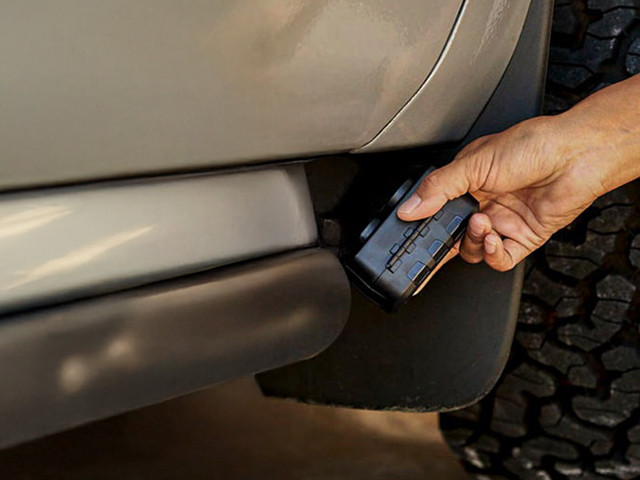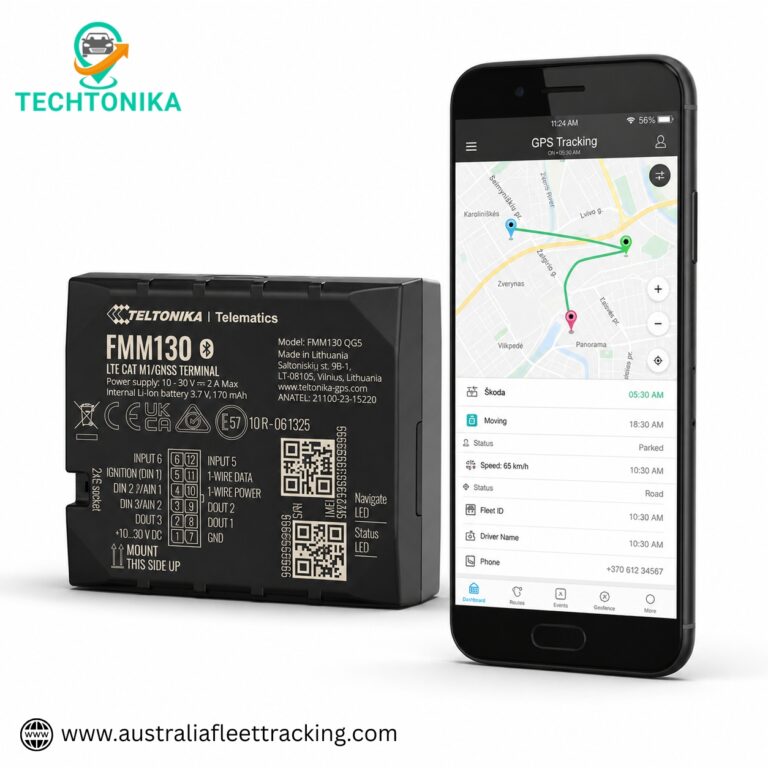
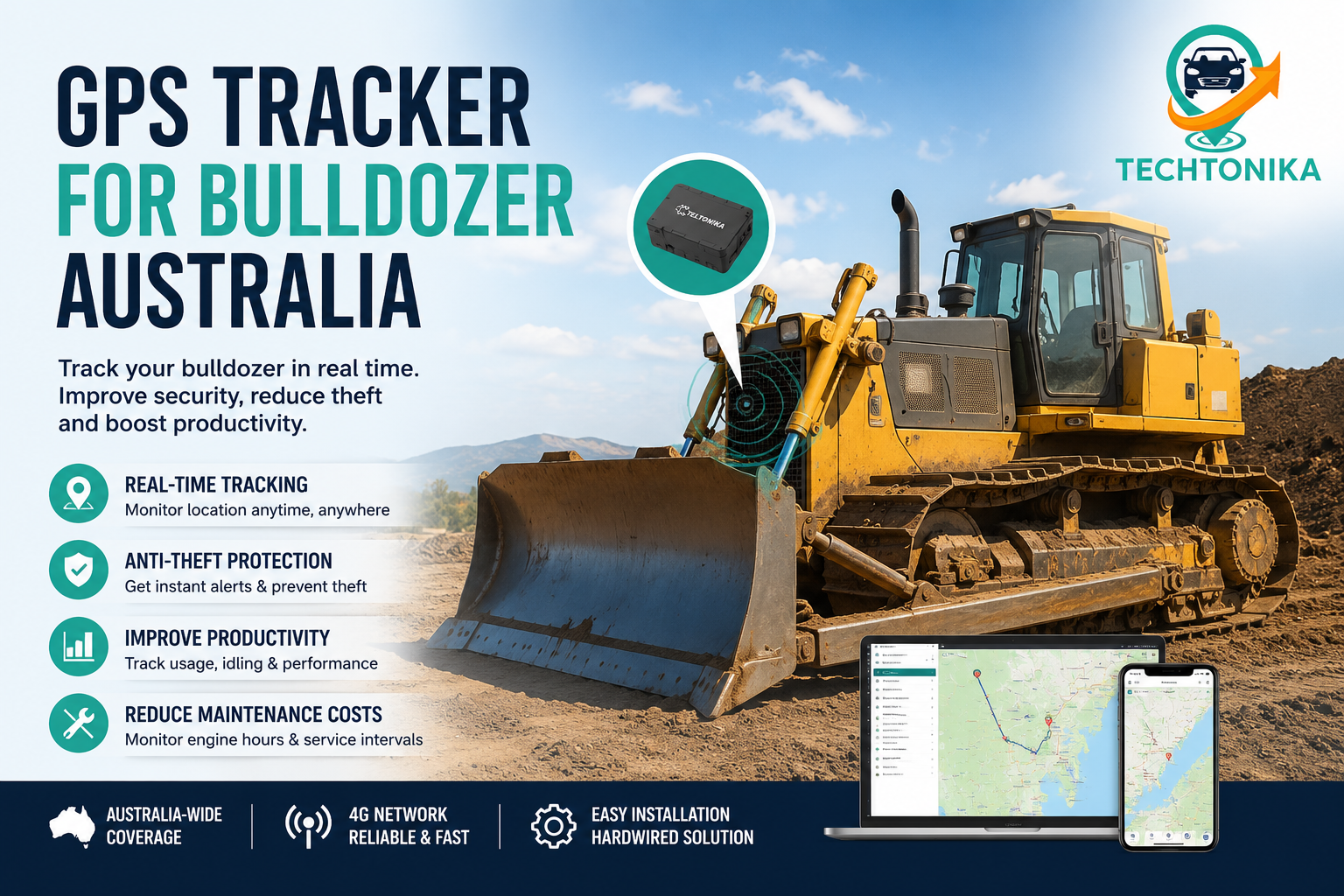
Bulldozers require rugged, securely installed tracking with dependable power, GPS tracker for bulldozer Australia, harsh-environment protection and alerts that distinguish legitimate site operation from after-hours movement or transport. Engine hours and utilisation are often as important as location.
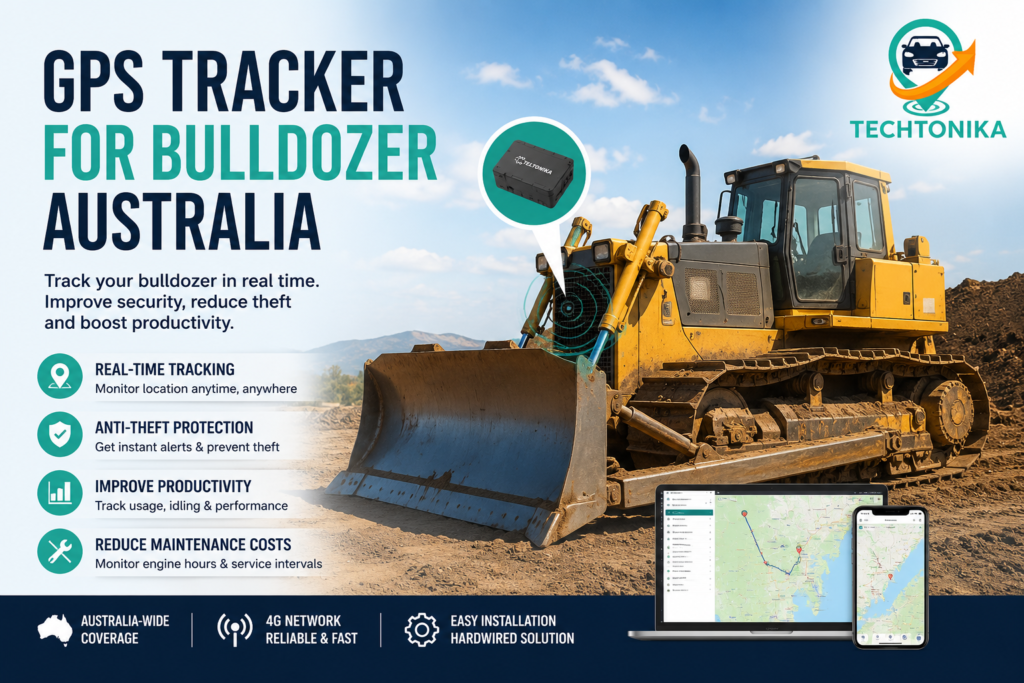
Why bulldozers need purpose-selected tracking
Bulldozers operate in conditions that expose weak product choices quickly. Water, dust, vibration, heat, metal structures, long idle periods and remote sites can affect both hardware life and radio performance.
The purchasing decision should start with the operating pattern: where the heavy earthmoving equipment is stored, how often it moves, whether it has permanent power, who responds to alerts and what information the business needs beyond location.
- Define theft, utilisation and maintenance objectives separately.
- Record the hardest coverage and environmental conditions.
- Choose alerts that a named person can actually action.
Essential hardware and platform features
For bulldozers, enclosure rating and installation quality matter as much as the modem. A strong casing cannot protect unsealed joins or poorly routed cable. Likewise, a hidden device is ineffective if the mounting position blocks both GNSS and mobile signals.
The platform should show last update time, last valid position, power state and communication status clearly. Historical trips, geofences and exportable reports make the device useful after installation.
- Rugged casing and vibration-resistant installation
- Wide vehicle-voltage compatibility confirmed for the machine
- Ignition, engine-hour or movement-based utilisation
- Transport and site-boundary geofences
- Power-cut, tamper and prolonged-offline alerts
Hardwired versus battery-powered options
Hardwired trackers are usually best when the heavy earthmoving equipment has reliable power and the business needs regular updates, ignition events or engine hours. A backup battery can report a disconnection event and maintain contact briefly after main power is removed.
Battery trackers suit equipment without dependable power or installations where wiring is impractical. Their runtime depends heavily on movement, reporting intervals, temperature and network conditions. Long-life claims must be compared using the same assumptions.
- Use hardwired power for regular reporting and operational inputs.
- Use autonomous power when portability or electrical isolation is more important.
- Use both only when the platform can manage their different reporting patterns clearly.
Installation and coverage
Test the proposed position before finalising the installation. Metal cabins, frames and tool compartments can attenuate signals. For exposed installations, protect the tracker, fuse and joints from water ingress, abrasion and pressure washing.
Australian mobile coverage varies significantly. The device should store records during outages and upload later where supported. For theft response, make sure users understand the difference between the last received point and the asset’s current confirmed location.
- Place wiring inside protected loom and away from hot or moving components.
- Set geofences to reflect actual haul and work zones.
- Reconcile GPS utilisation with service and operator records.
Turning tracking data into useful action
Geofences can flag departure from a depot or approved site. Movement schedules can reduce nuisance alerts during work hours and increase sensitivity overnight. Utilisation data can support rental billing, maintenance planning and fleet sizing when definitions are consistent.
Create a response process before the first alert. It should identify who checks the event, who contacts the operator or police, and how live location is shared safely. Staff should never attempt a dangerous recovery.
- Set escalation rules for movement, power loss and offline status.
- Keep asset ID, serial number and tracker ID linked.
- Review alert accuracy after the first month.
Define the operational requirement before comparing products
A useful specification starts with the decision the business wants to make. For a bulldozers deployment, write down whether the priority is theft notification, live dispatch, proof of attendance, utilisation, maintenance, safety support or a combination of these. Each priority implies a different update interval, power budget, alert design and installation standard. A product that is excellent for one purpose may be unnecessarily expensive—or operationally weak—for another.
Turn broad goals into testable statements. Instead of asking for “real-time tracking”, state the maximum acceptable delay while moving, the maximum time before an offline device is noticed, the history that must be retained and the people permitted to view it. This requirement becomes the basis for comparing GPS tracker for bulldozer Australia options and prevents purchasing decisions from being driven by one headline feature.
- List the decisions the data must support.
- Name the person responsible for each alert or report.
- Separate mandatory requirements from optional conveniences.
Understand the complete tracking data path
A location shown on a screen is the end of a chain. The device must obtain a usable satellite fix, create a time-stamped record, transmit it through a compatible mobile service, reach the supplier’s server and be interpreted correctly by the application. An apparent location problem can originate at any point in that chain, so troubleshooting should not assume the GNSS receiver is always at fault.
The platform should distinguish event time from upload time. When a unit leaves coverage, it may continue storing records and transmit them later. Those points can accurately reconstruct a trip, but they were not live when they occurred. Users should be able to see last communication, last valid position and whether a displayed record arrived late. That distinction matters during theft, dispatch and customer-service decisions.
- Satellite reception determines the fix.
- Mobile connectivity determines when the record reaches the server.
- Platform design determines whether the user interprets it correctly.
Choose an update strategy, not simply the fastest interval
Frequent updates can create a smoother trail and faster exception detection, but they also increase data use, server traffic and battery consumption. For hardwired vehicles, a moving interval measured in seconds may be appropriate. For dormant equipment, a movement event plus periodic check-in can provide a better balance. The ideal configuration often changes between moving, parked, charging and alarm states.
Ask the supplier how the unit changes its behaviour after ignition, motion, geofence entry, power loss and extended inactivity. Confirm whether settings can be changed remotely and what happens if a remote command is missed. A documented reporting profile is more useful than an estimated battery-life claim that does not state how often the tracker wakes, fixes and transmits.
- Set separate moving and stationary intervals.
- Use exception events for urgent conditions.
- Review the configuration after real usage data is available.
Plan for weak coverage and complete outages
Australia’s geography makes offline behaviour a core requirement, not an edge case. Mobile coverage maps help compare predicted service, but they cannot reproduce every building, cutting, mine site, marina, basement or metal enclosure. The installed antenna position, network band, carrier arrangement and local interference can materially change the outcome.
Confirm how many records the tracker can buffer, whether old points are overwritten, how quickly stored data uploads and how the platform marks delayed information. Decide what staff should do when a unit stops communicating. A sensible process checks power, known coverage, scheduled inactivity and recent work before treating every missed update as theft or hardware failure.
- Test the hardest operating locations during the pilot.
- Configure a prolonged-offline alert with an appropriate delay.
- Record the last live contact separately from later history.
Power design and battery-life calculations
Power planning should cover normal operation, long parking periods, vehicle isolation, seasonal storage and tampering. Hardwired devices need compatible voltage, correct fusing, protected cable routing and a sleep mode that will not flatten the host battery. Backup cells are generally intended for short continuity or a disconnection alert, not indefinite full-rate tracking.
For autonomous trackers, request the battery capacity, test profile, temperature assumptions and number of transmissions behind the quoted runtime. Cold, heat, weak signal, repeated movement, unsuccessful network registration and frequent GNSS acquisition can reduce life. Build a replacement or recharge interval with margin rather than scheduling service for the marketing maximum.
- Confirm normal, sleep and peak current where available.
- Set low-battery alerts early enough for planned service.
- Include battery labour and access cost in total ownership.
Installation quality determines field performance
For a bulldozers deployment, installation is part of the product. The mounting point must protect the device while allowing its antennas to operate. Thick metal, heated windscreens, electrical noise, water paths and moving components can degrade reception or damage wiring. Concealment is useful for security only when it does not make inspection unsafe or block radio signals.
The installer should record the device identifier, SIM, assigned vehicle or asset, connection points, fuse rating, firmware version and final mounting location. After installation, run a controlled trip or movement test and verify ignition, power, position, history and every required alert. Photographs and a sign-off checklist make future diagnosis much faster.
- Follow the device and equipment manufacturer instructions.
- Keep clear of airbags, controls and safety-critical circuits.
- Retest after repairs, battery work or equipment transfer.
Platform features that matter after the sale
A reliable tracker can still deliver a poor operational result if the software hides important status or generates unusable reports. Evaluate the platform with the people who will use it. Check map clarity, search, mobile access, role permissions, exports, geofence editing, alert acknowledgement and the speed of finding a specific historical event.
The asset owner, fleet manager, installer and operator should agree on naming conventions before devices are added. Use stable asset numbers rather than informal labels that change with drivers or projects. Decide who can edit settings, export data and create users. Multi-factor authentication, audit records and prompt removal of former staff access reduce avoidable security risk.
- Test routine tasks during a trial, not only the live map.
- Create role-based access with least privilege.
- Confirm export formats before relying on long-term records.
Alerts should drive a defined response
More alerts do not automatically create more control. If every short stop, minor voltage change or boundary edge sends a message, users learn to ignore the system. Begin with a small set of material exceptions and tune thresholds using real operations. Geofence buffers and time schedules can reduce noise caused by satellite drift or legitimate work patterns.
Each alert needs an owner, a validation step and an escalation path. For suspected theft, staff should confirm authorised use, preserve relevant records and contact police or the insurer as appropriate; they should not attempt a dangerous recovery. For maintenance or offline alerts, allocate a service ticket and close it only after the device or asset is checked.
- Document who receives each alert.
- Measure false positives and missed events.
- Review escalation contacts at least quarterly.
Privacy, workplace and governance considerations
Location histories can reveal work patterns and personal information. Australian organisations should identify the laws, employment instruments, surveillance requirements, contracts and internal policies that apply to their circumstances. Requirements can differ by state, territory, workforce and use case, so a generic website statement is not a substitute for appropriate advice.
Collect data for a clear purpose, explain the system to affected people and limit access and retention to what the organisation genuinely needs. Document rules for authorised private use, customer-site information, data exports and law-enforcement requests. Good governance protects people and also improves data quality because users understand why the system exists and how decisions will be made.
- Give any legally required notice before activation.
- Set retention periods and deletion responsibilities.
- Review user access and exports regularly.
Security and supplier due diligence
A tracking service combines hardware, a SIM or connectivity provider, cloud infrastructure, applications and support processes. Ask how accounts are protected, how firmware is updated, how vulnerabilities are handled, where data is hosted, how backups work and what happens when the commercial relationship ends. Avoid leaving shared default credentials on devices or administrator accounts.
Business continuity deserves equal attention. Confirm how to export history, reassign devices and obtain support during an incident. Ask what happens if a carrier arrangement or hardware model changes. A lower initial price can become expensive if the platform locks away records, lacks local support or requires complete hardware replacement for ordinary network changes.
- Use unique credentials and multi-factor authentication where offered.
- Record support and incident contact details.
- Confirm data export and account-closure procedures in advance.
Run a representative pilot and acceptance test
A useful pilot includes the easiest and hardest vehicles, assets, routes and users. It should run long enough to expose parking, weak coverage, normal maintenance and weekend behaviour. Define acceptance criteria before installation: required alert delay, trip completeness, location performance, battery impact, report usability and support response are practical measures.
Keep a test log rather than relying on impressions. Compare platform events with known departures, arrivals and power changes. Investigate gaps while the circumstances are still known. At the end of the pilot, document configuration changes and repeat the critical tests. Only then should the business standardise hardware or roll out at scale.
- Include at least one difficult coverage or mounting case.
- Record expected and observed results.
- Approve a standard installation only after repeatable testing.
Calculate total cost of ownership
The purchase price is only one line in a tracking budget. Include installation, accessories, SIM or subscription fees, platform licences, data retention, alert messaging, maintenance visits, battery replacements, removals, transfers and staff administration. Also account for the operational cost of false alerts or a device that is difficult to diagnose.
Compare costs over the expected service period using the same assumptions for every option. Then place realistic value on outcomes such as fewer unnecessary kilometres, faster dispatch, recovered equipment, reduced administration or better service planning. Do not claim savings that the available data cannot support; establish a baseline and measure actual results after deployment.
- Use a three- to five-year comparison where appropriate.
- Include labour and downtime, not only subscriptions.
- Assign an owner to review realised benefits.
Ongoing maintenance and quarterly review
Tracking systems degrade quietly when no one owns them. Vehicles are replaced, batteries fail, SIMs are suspended, wiring is disturbed and users leave. Create a recurring exception report for units that are offline, assigned incorrectly, reporting impossible values or missing expected activity. Physical inspection should form part of scheduled vehicle or equipment service.
Quarterly reviews should examine alert usefulness, user access, device health, coverage gaps, data retention and whether reports still support real decisions. Remove redundant alerts and update geofences when operations change. A smaller, trusted dataset is more valuable than a large system filled with stale assets and ignored notifications.
- Reconcile the device list with the asset register.
- Inspect power, enclosure, antennas and wiring.
- Retire or securely reassign devices that are no longer needed.
How to compare supplier claims fairly
Create one written comparison sheet for every GPS tracker for bulldozer Australia candidate. Ask each supplier to answer the same questions about hardware variant, supported radio bands, SIM arrangement, reporting profile, internal memory, environmental rating, warranty, subscription, data ownership and support. Record qualifications beside the answer. Terms such as “live”, “waterproof”, “Australia-wide” and “long life” are not useful unless the supplier defines the test conditions and practical limits.
Request a working demonstration using the proposed platform and, where possible, the exact hardware model. Ask the demonstrator to find an old trip, identify a delayed upload, change an alert, export a report and show a device that has gone offline. These ordinary tasks reveal more about day-to-day suitability than a polished dashboard tour. Keep written copies of material commitments and ensure the order matches the tested model.
- Use one scorecard and the same assumptions for every supplier.
- Mark unverified claims as risks, not benefits.
- Confirm whether support, installation and replacement stock are available in Australia.
Common buying mistakes to avoid
The most common mistake is buying hardware before defining the workflow. Other traps include selecting an overseas model without checking bands, hiding a tracker inside a metal cavity, accepting battery claims without an update profile, assuming an IP rating covers cable joins, and creating dozens of alerts before anyone owns the response. These failures are preventable with requirements, a representative pilot and documented installation.
Another mistake is treating historical location as proof of every business event. A tracker can show that a device reported near a place at a time; it may not prove who was operating, what work occurred or whether an item was delivered. Combine tracking records with job, inspection or access-control evidence when the decision requires it, and preserve the original timestamps and audit trail.
- Do not equate a recent map point with guaranteed current location.
- Do not connect to unfamiliar vehicle or machine circuits without approval.
- Do not deploy widely until alerts and reports pass acceptance testing.
A practical 30-day rollout plan
During week one, document objectives, policies, candidate assets, difficult coverage areas and acceptance criteria. During week two, install a small representative group and verify every input, alert and user role. During week three, operate normally while recording missed points, nuisance alerts, support questions and staff feedback. During week four, adjust settings, repeat critical tests and produce a short go/no-go review.
If the pilot succeeds, preserve the approved configuration as the standard for future a bulldozers deployment. Train users with real examples from the pilot and issue a one-page response guide. Schedule the first health review before expanding the fleet. If the pilot fails, separate device, network, installation, platform and process causes before changing suppliers; otherwise the same unresolved requirement can follow the project into the next product.
- Week 1: requirements and governance.
- Week 2: installation and controlled tests.
- Weeks 3–4: normal use, tuning and rollout decision.
Buying or deployment checklist
- Confirm the tracker’s supported 4G technology and Australian bands.
- Rugged casing and vibration-resistant installation
- Wide vehicle-voltage compatibility confirmed for the machine
- Ignition, engine-hour or movement-based utilisation
- Transport and site-boundary geofences
- Inspect and test the completed installation.
- Document the response process for theft and prolonged offline status.
Frequently asked questions
Can a GPS tracker stop bulldozer theft?
It cannot physically prevent theft, but alerts and location information can improve detection and support recovery. Use locks, secure storage, insurance and access controls as well.
Where should the tracker be installed?
In a protected, concealed and serviceable position with usable GNSS and mobile reception. The correct location varies by model and must avoid safety-critical systems.
Will it work in remote areas?
Only where compatible mobile and satellite reception are available. A device with internal memory may upload stored records after coverage returns.
Is a battery tracker better?
It is better when permanent power is unavailable or isolation is essential. Hardwired units usually support more frequent updates and operational inputs.
How often should it report?
Use the lowest frequency that still meets the operational and security requirement. Faster reporting increases data, power use and sometimes alert noise.
Final recommendation
The best tracker for bulldozers is the one proven on the actual equipment, network, mounting location and tracking platform. Prioritise rugged installation, clear alerts, offline behaviour and a documented response plan over headline specifications.
Next step: Compare compatible 4G GPS tracking devices and installation accessories at Australia Fleet Tracking. Confirm network, platform, SIM, mounting and installation requirements before ordering.
Sources and further reading
- https://www.teltonika-gps.com/use-cases/agriculture-construction-%26-mining/basic-track-%26-trace-for-heavy-machinery
- https://www.teltonika-gps.com/use-cases/agriculture/construction-vehicles-tracking-with-ip67-rating-gps-devices
Techtonika Autolink
Follow Us
Facebook: https://www.facebook.com/profile.php?id=61591321884124
Instagram: https://www.instagram.com/techtonikaautolink/
LinkedIn: https://au.linkedin.com/company/techtonika-autolink
Unit 507, 15 Chatham Rd West, Ryde NSW 2114